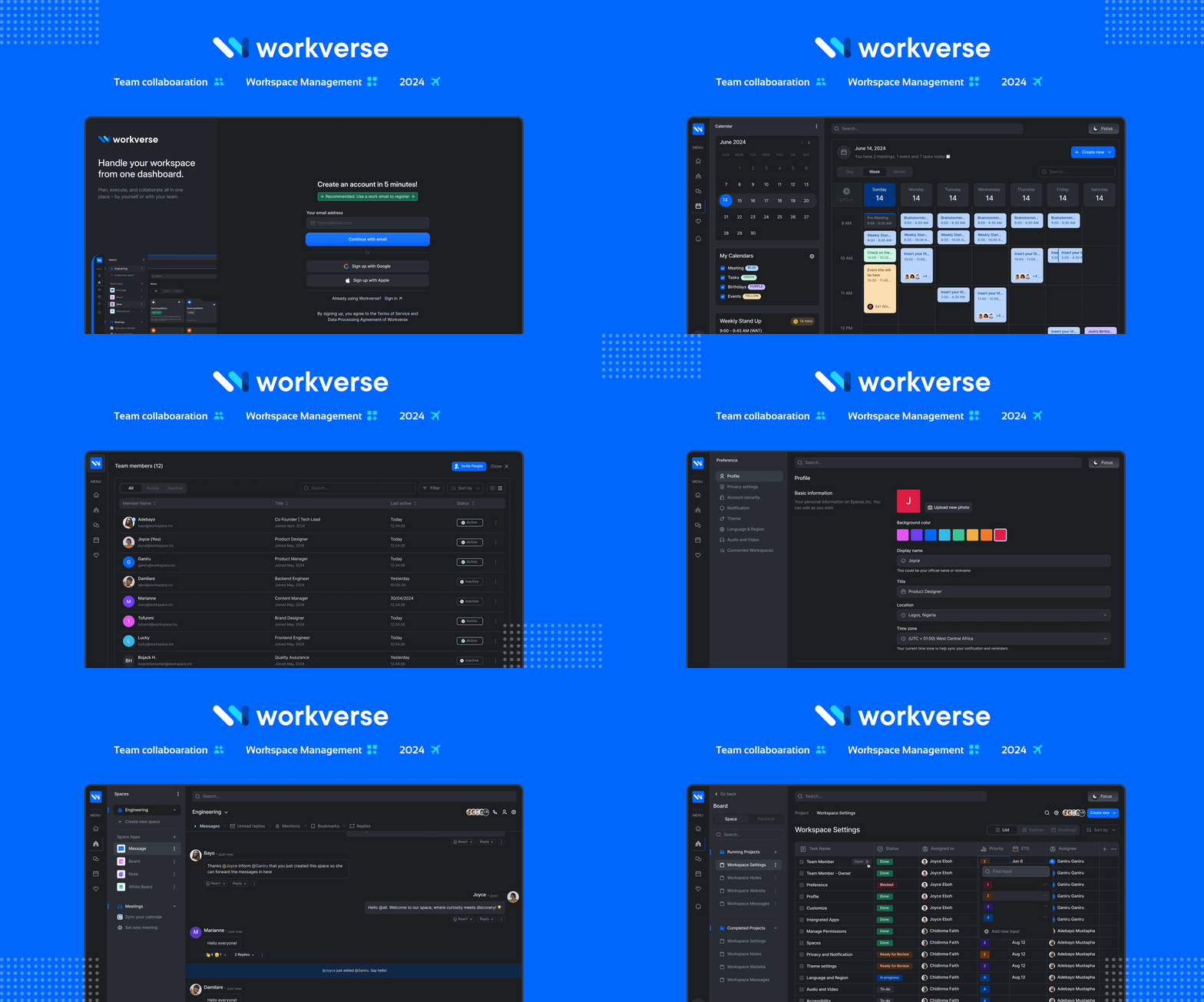
WorkVerse
Team Productivity & Collaboration
Workverse is a virtual space where teams connect, collaborate and create effortlessly. The post-pandemic surge in remote and hybrid work models has exposed a critical need: a centralized, collaborative work tool that streamlines workflows and enhances overall productivity for distributed teams. The initial release of Workverse successfully established a foundation of core collaboration features while prioritizing the critical aspect of data privacy. However, valuable insights gained through user experience and ongoing analysis have necessitated a strategic refocusing on Workverse's key functionalities.
Using and managing diverse work tools are increasing daily, especially since remote working became a norm, and this work tools poses a daily challenge in using them simultaneously, leading to:
- Context switching fatigue: Frequent transitions disrupt workflows and reduce efficiency.
- Impeded collaboration: Information is fragmented across platforms, hindering teamwork.
- Data siloing: Crucial information is scattered, hindering access and analysis.
- Reduced visibility: Work dispersed across tools makes it difficult for leaders to track progress and team activity.
From the research, we have validated assumptions we had regarding users' pain points and compared what exists in the market today. Here are the prospective solutions:
- Workspace management
- Task management
- Communication
- File sharing and storage
- Freelancers, Consultants
- Small to Medium businesses/Enterprises
- SaaS companies
- 0 – 1000 employees
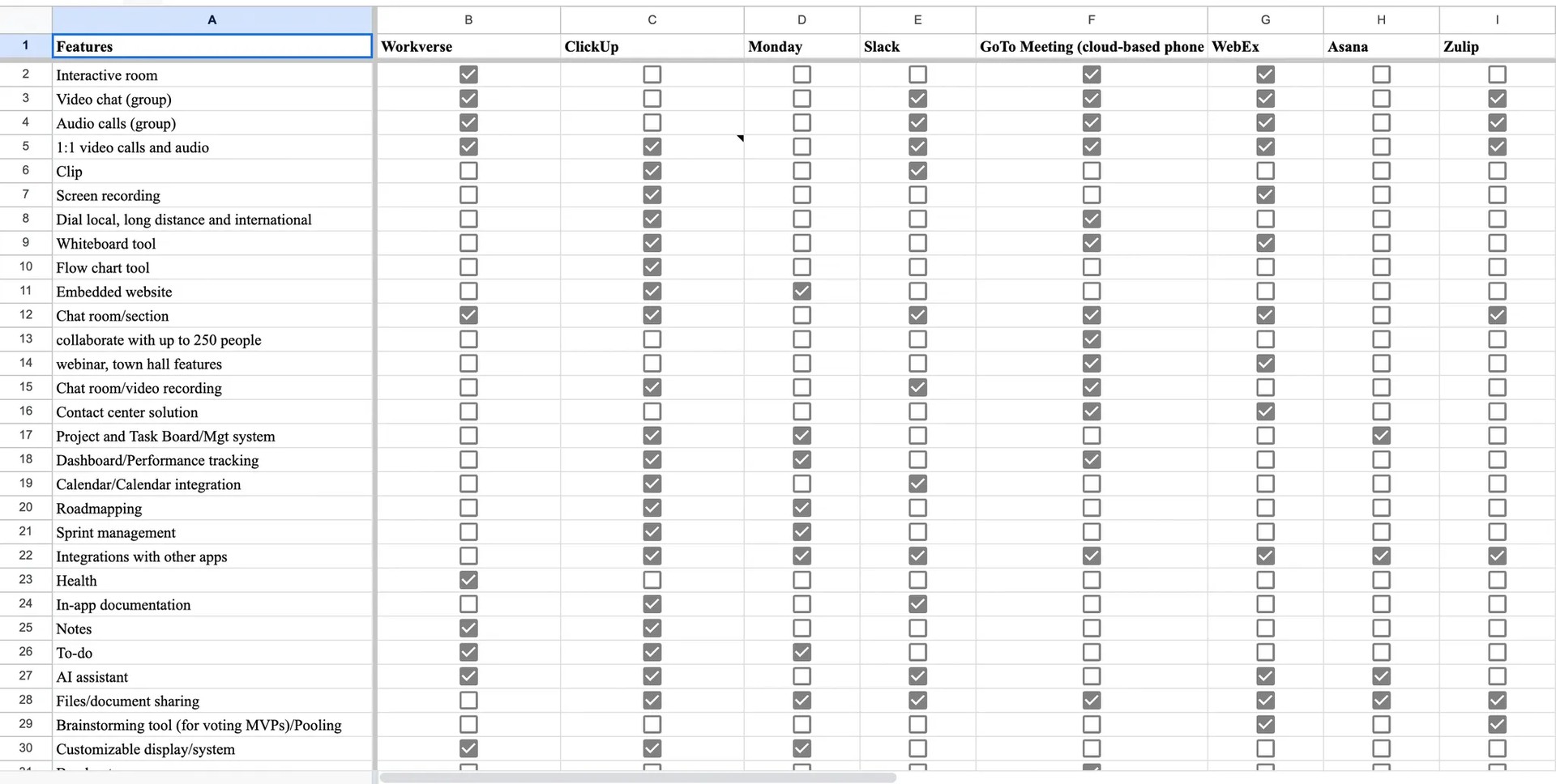
More information on the user story, user persona, competitive advantages and user flow can be presented upon request.
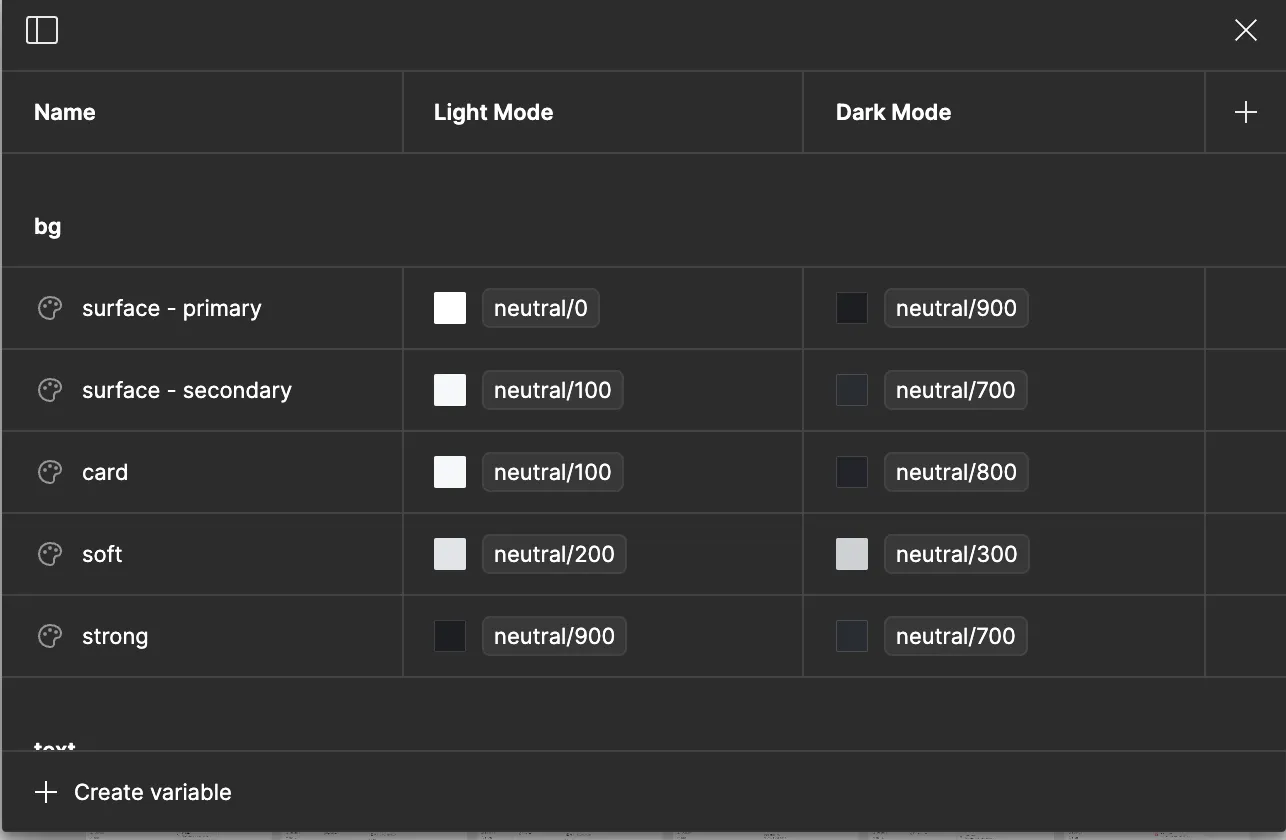
The next step for a project as large as this was ensuring a comprehensive design system was set in place. We currently use AlignUI design system for the project and we plan to grow with it as the team expands. I installed and customized the system to fit our brand and then I went on to create variables to cater for our dark/light mode system. This is to ensure that we save time, energy and maximize productivity.
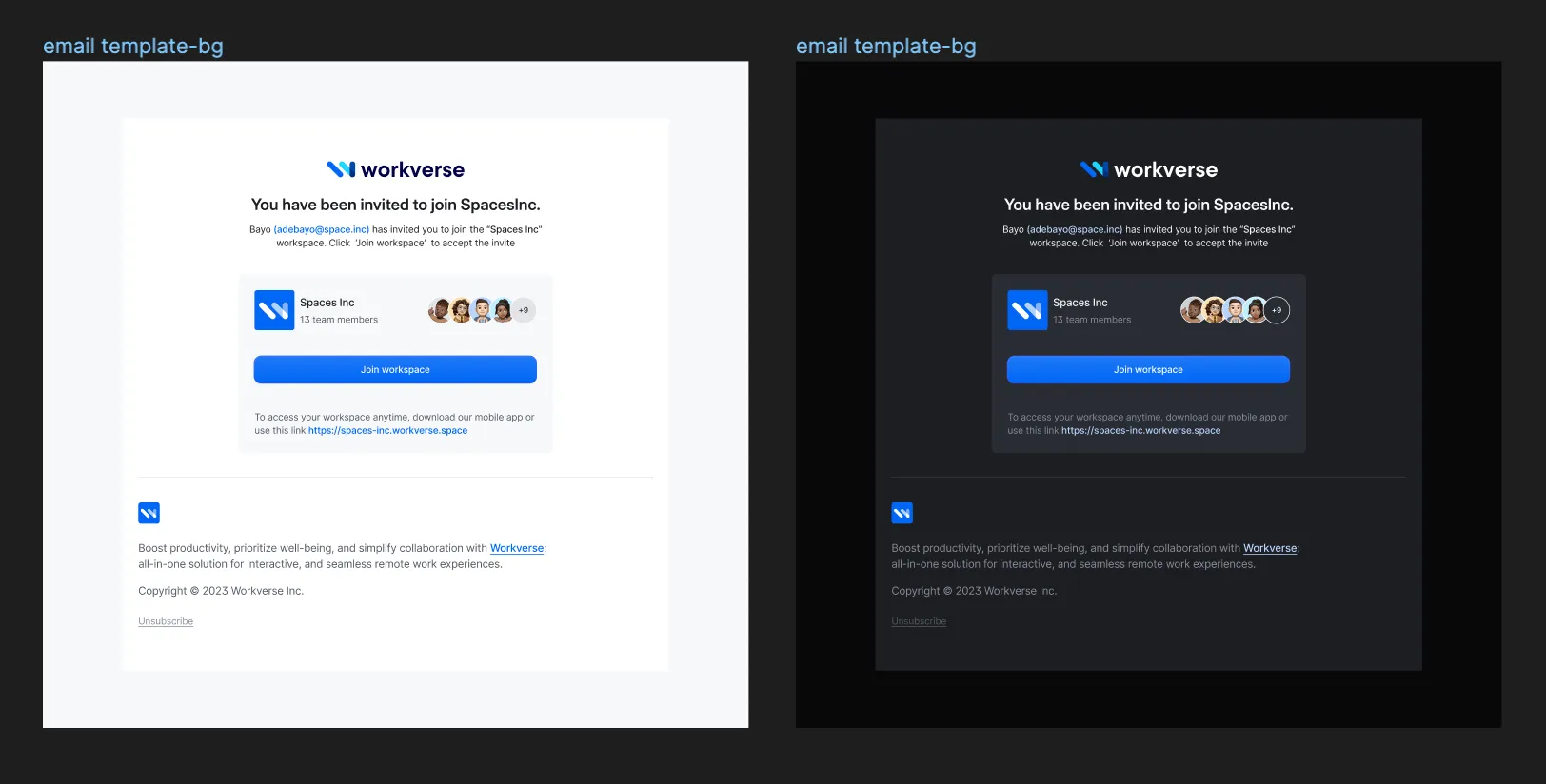
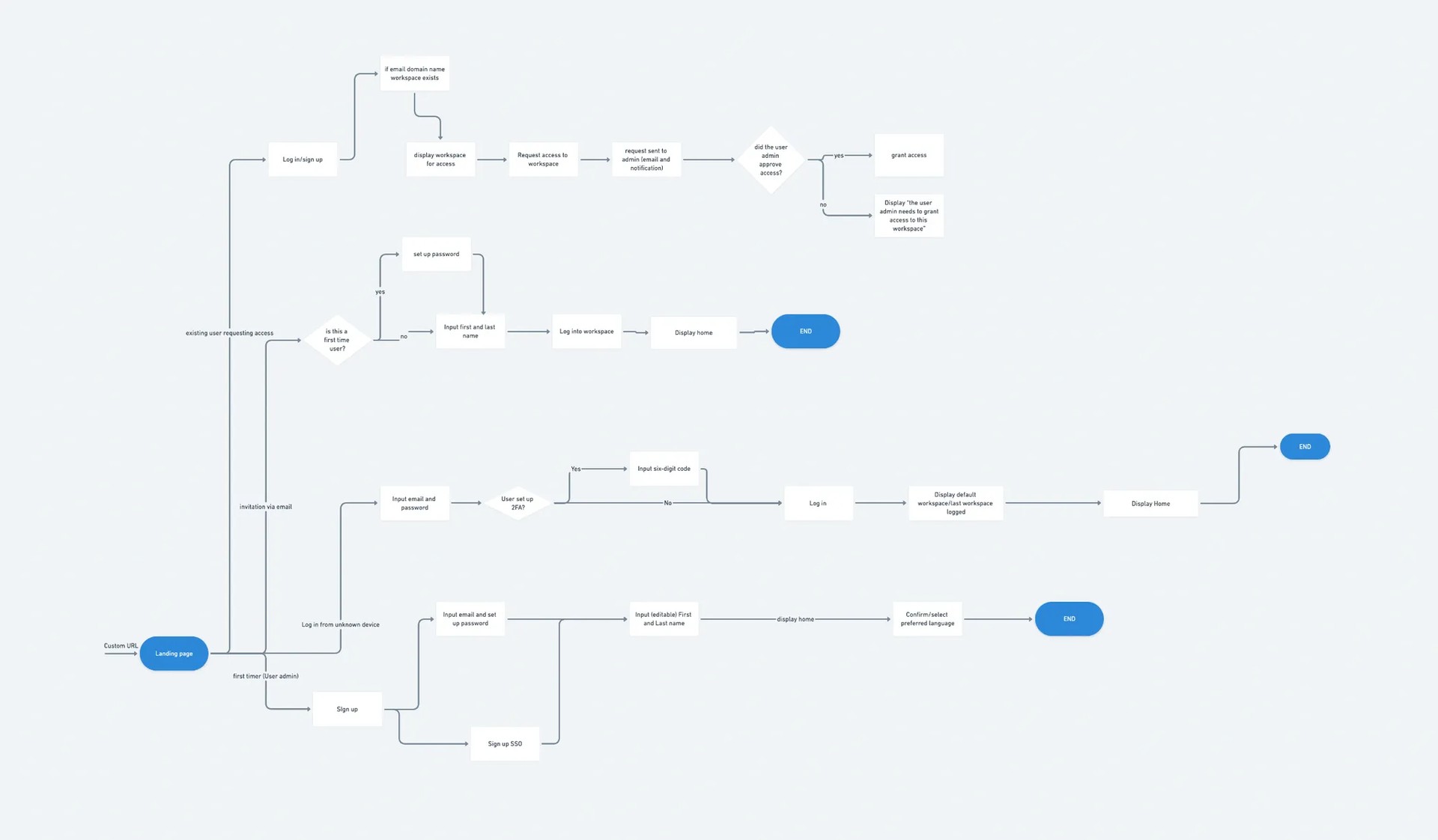
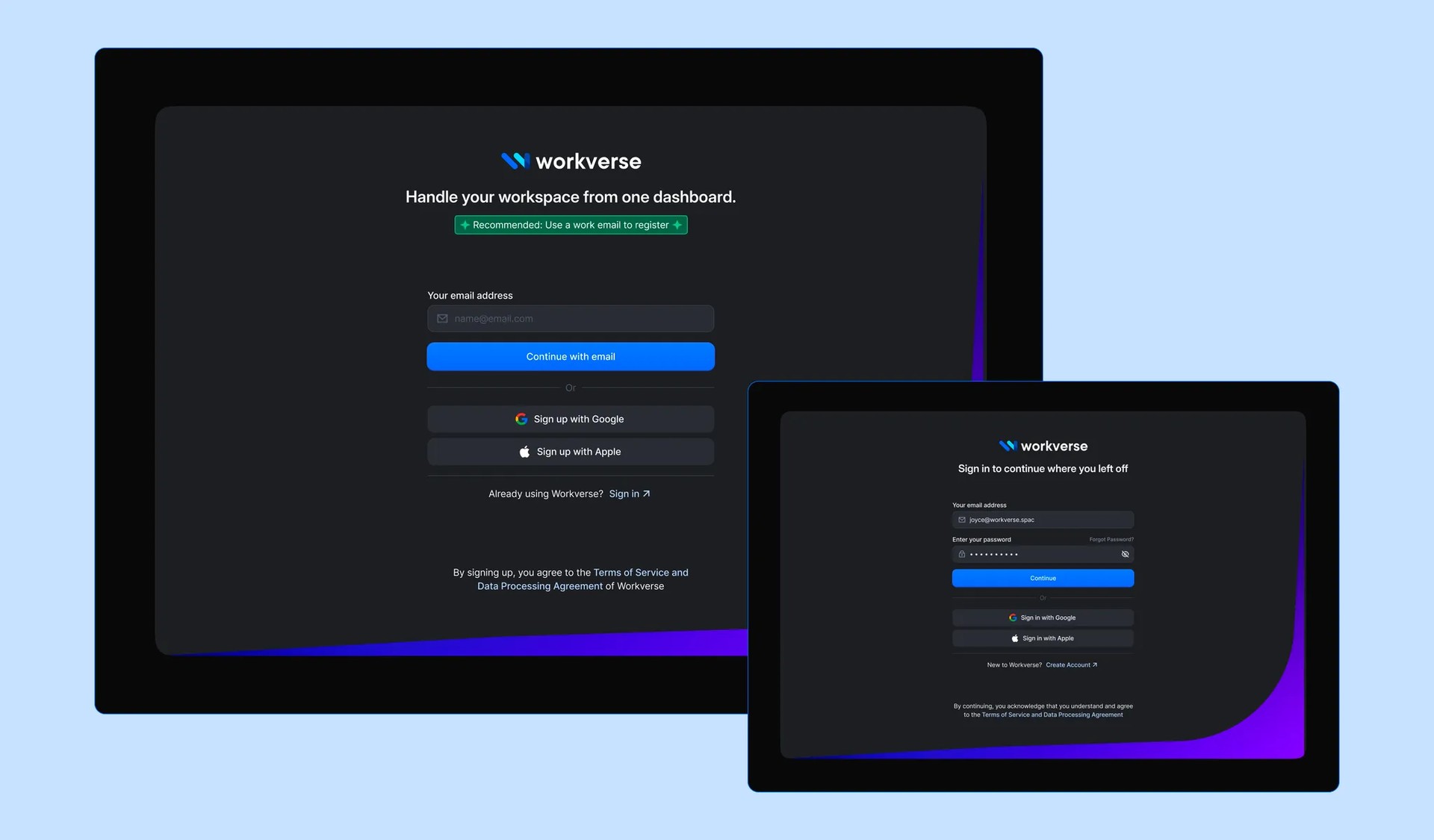
The goal of the Authentication feature is to allow users to securely log into Workverse. This will involve the creation of a robust and secure system for managing user credentials, including password creation, password recovery, and two-factor authentication.
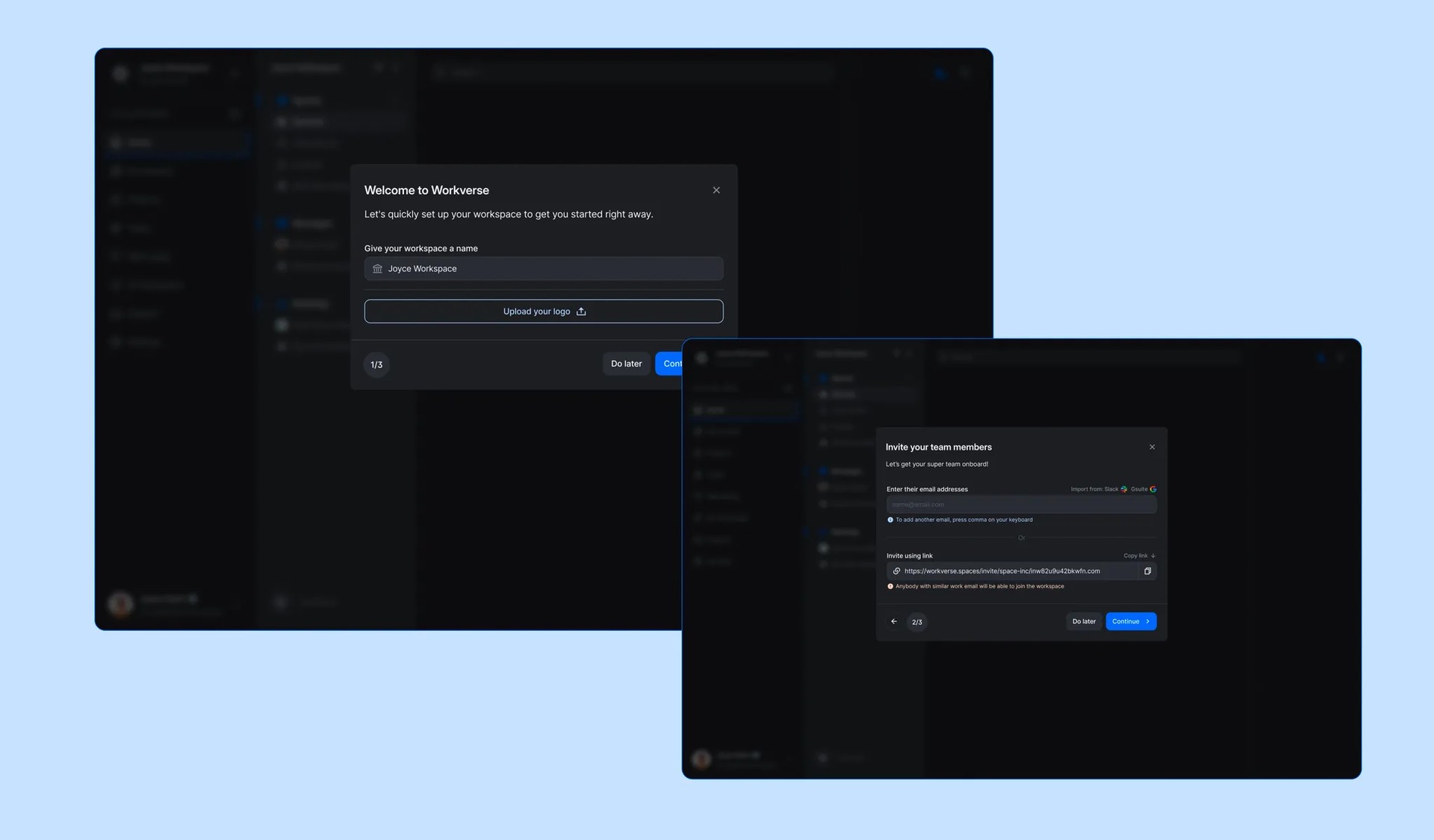
The Onboarding feature helps new users get familiar with Workverse. The goal is to ensure users feel confident and prepared to start working effectively from their first login.
- An interactive walkthrough of core features, such as messaging, meetings, and file storage
- Helpful tips and prompts for setting up their first workspace
- Personalized onboarding steps based on user roles (e.g., admin, team member)
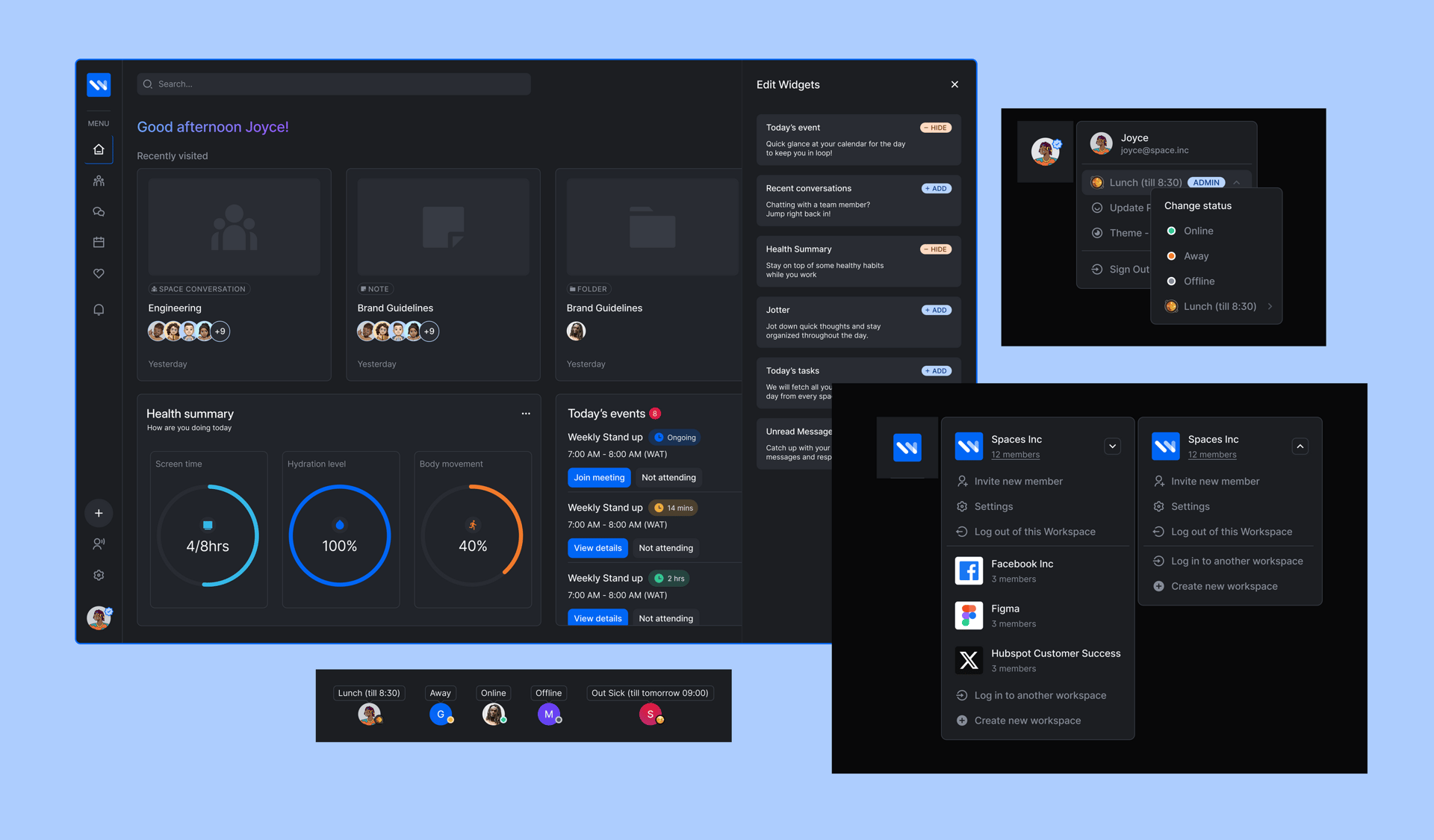
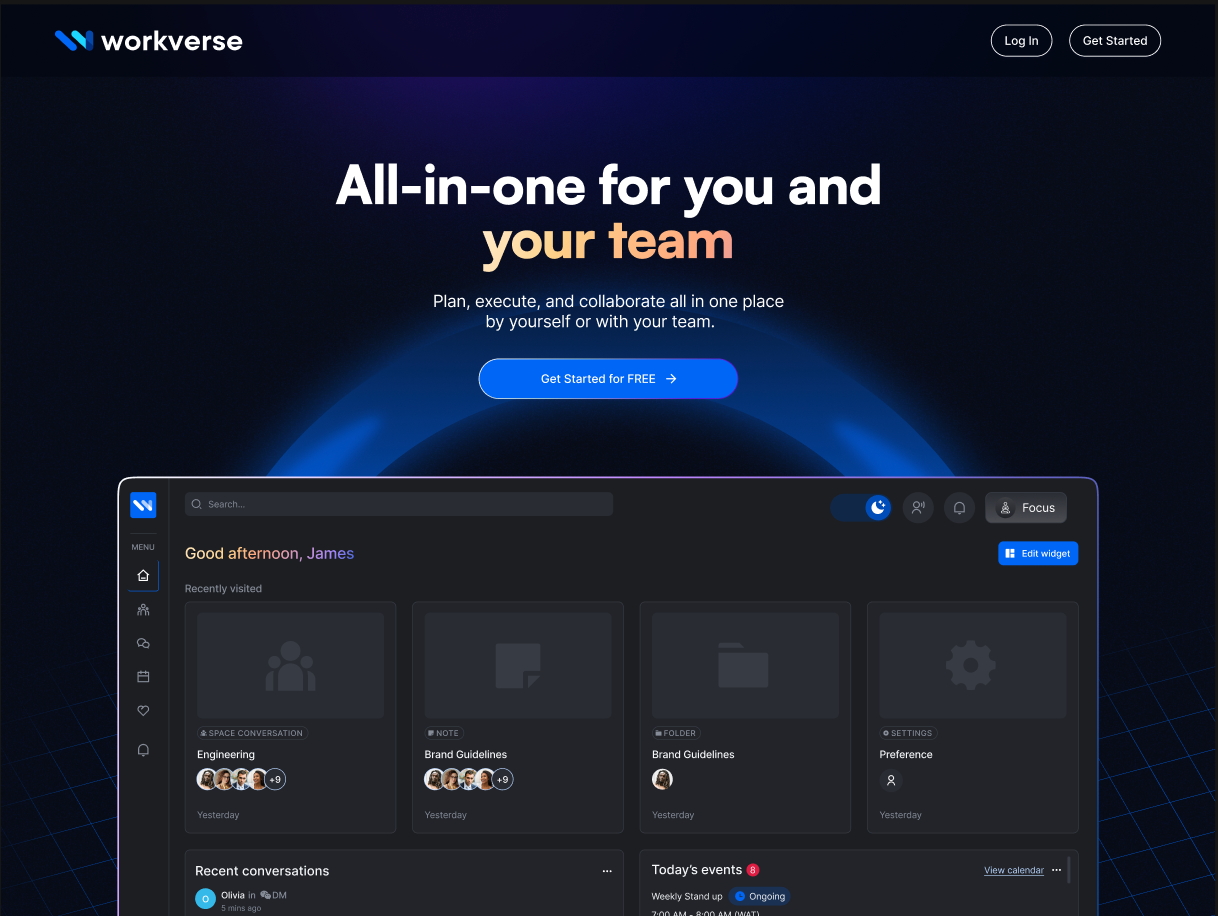
The Home Page serves as the central hub for users, featuring:
- A customizable dashboard to prioritize tasks, meetings, and messages
- Quick access to recently used workspaces and tools
- Notifications for important updates, such as upcoming meetings or assigned tasks
- A universal search bar to find documents, messages, or team members across all spaces
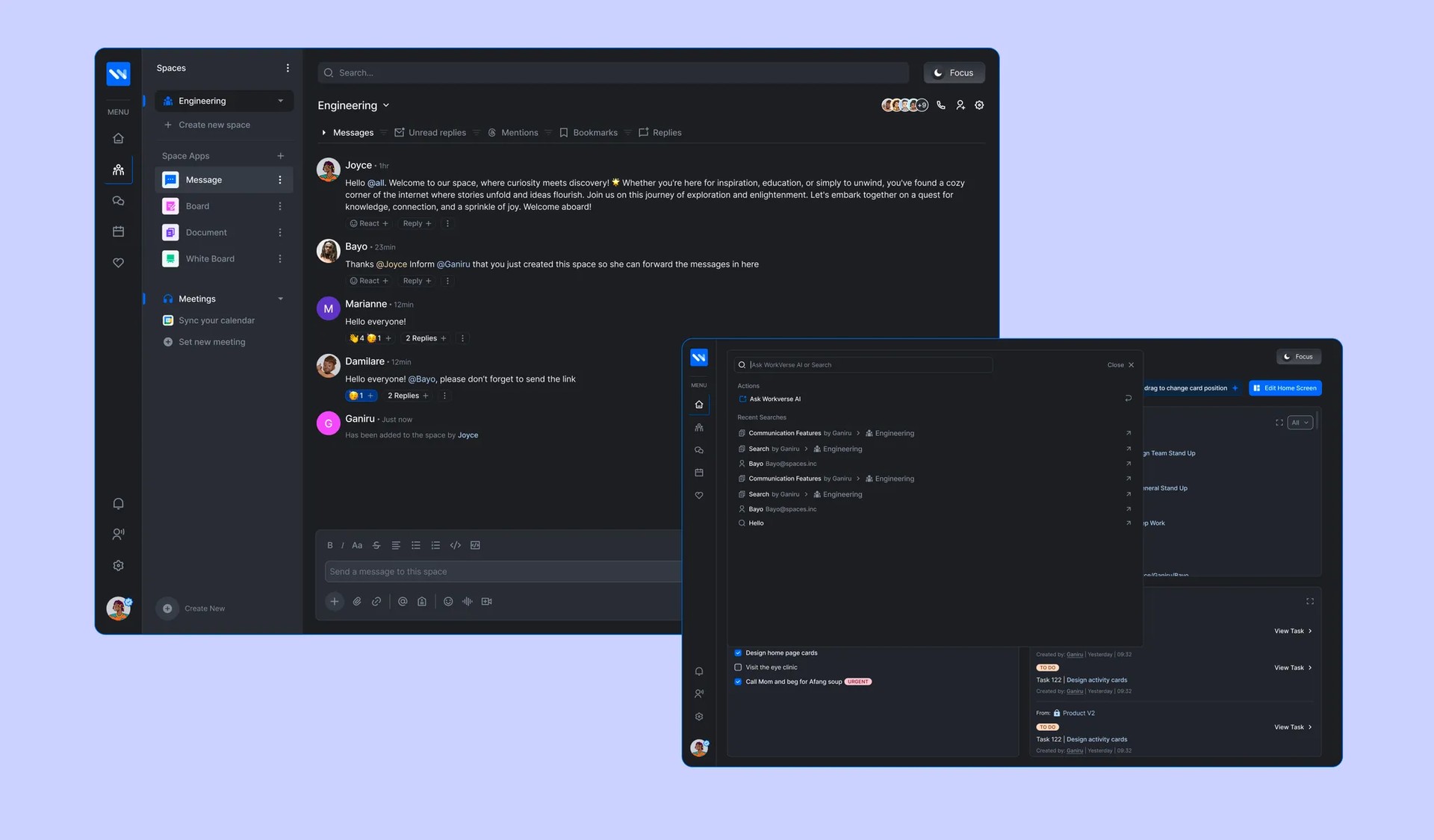
Spaces allow teams to create workspaces where they can communicate through group chats and threads, manage tasks, collaborate on documents and whiteboards, and conduct virtual meetings. Spaces also include a powerful AI assistant to help users search for information, generate summaries, and answer team-related questions.
- Communicate through group chats and threads
- Manage tasks and assign responsibilities
- Collaborate on documents, whiteboards, and shared resources
- Conduct virtual meetings with built-in video conferencing tools
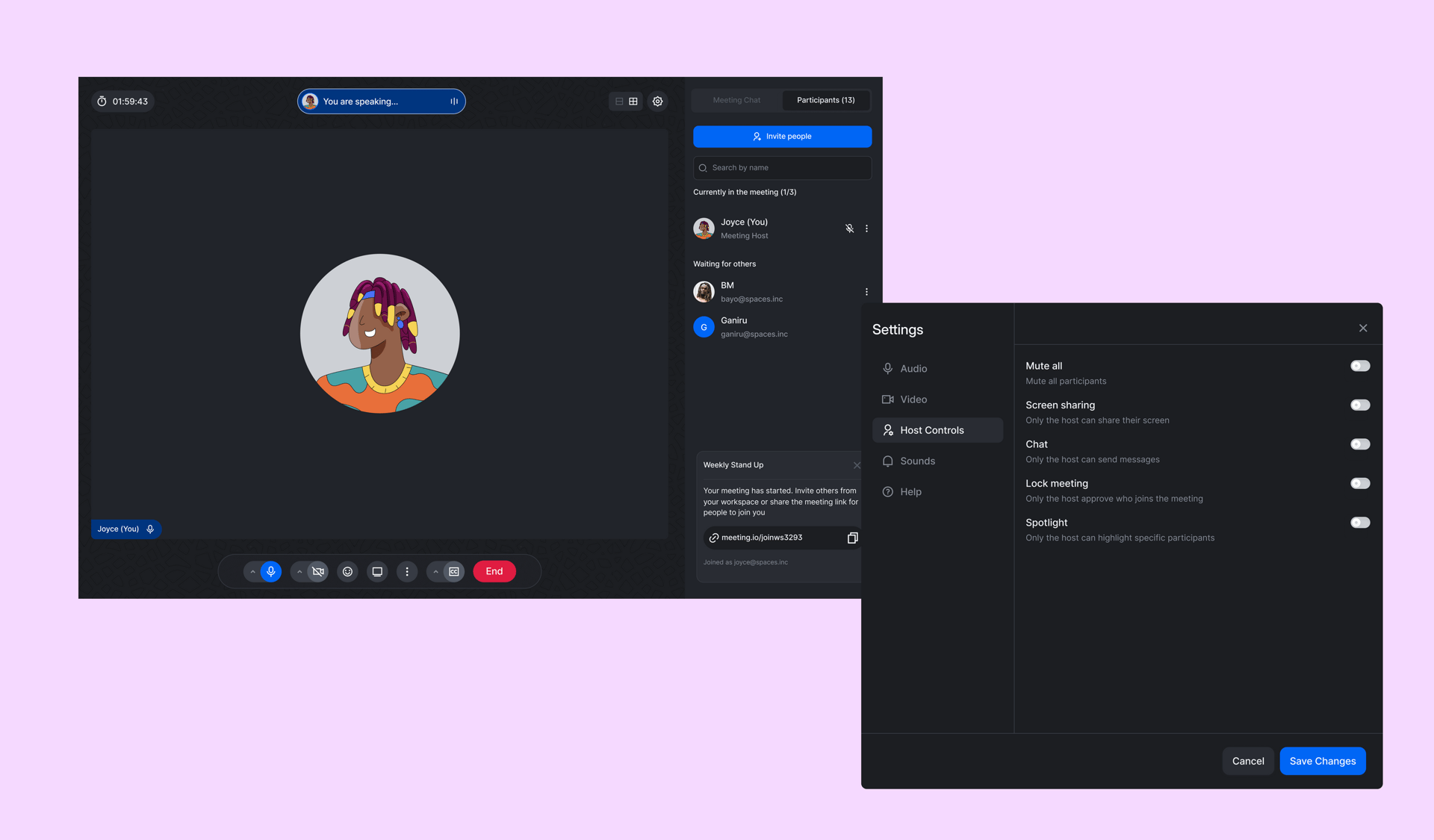
The Meetings feature enables seamless virtual collaboration. Users can also record meetings and save them within the workspace for later reference.
- Scheduled and ad-hoc meeting creation
- Video and audio conferencing with screen-sharing capabilities
- Integrated agendas and note-taking tools
- Real-time chat within meetings to share links or ideas
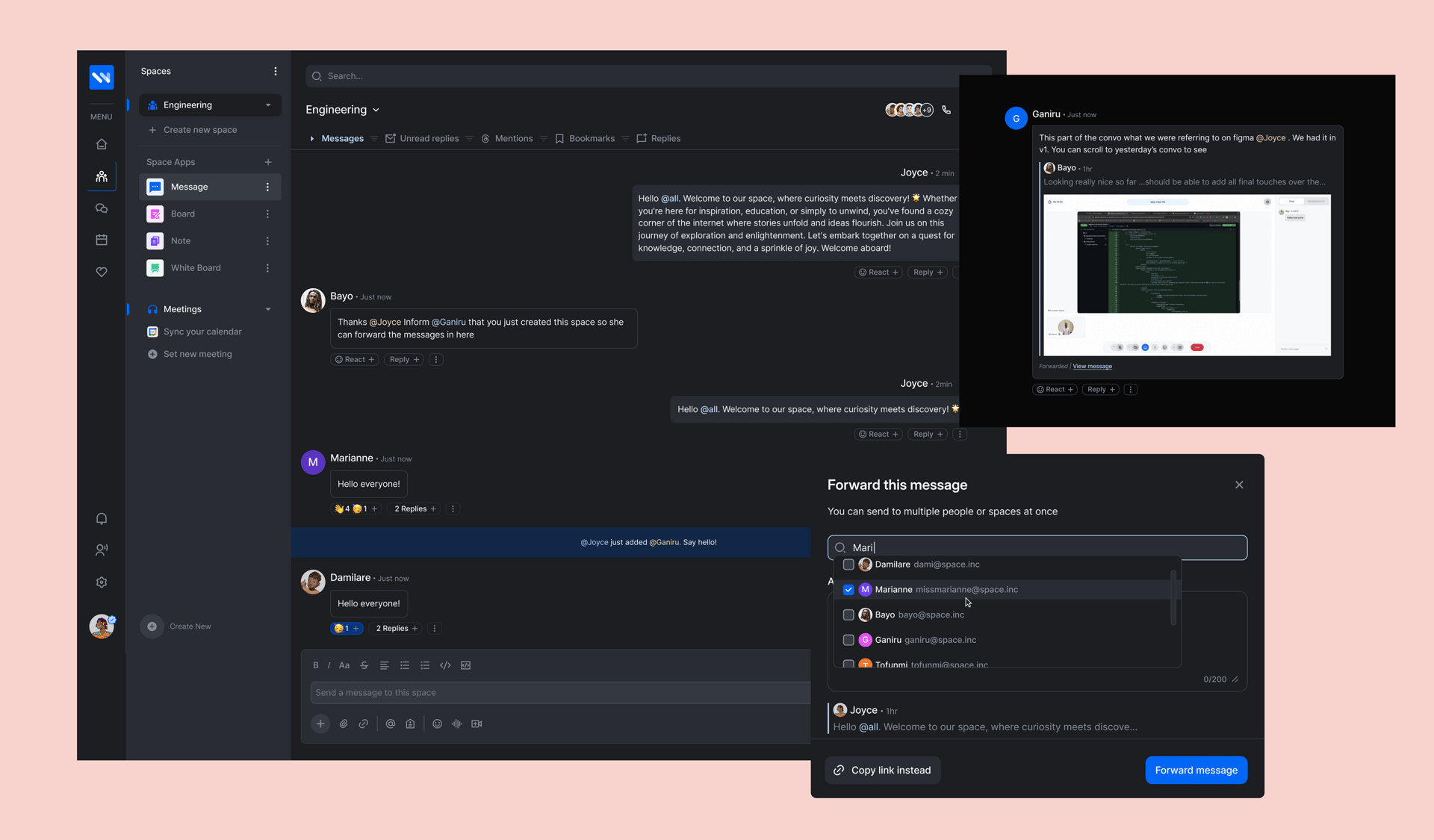
Messaging allows for streamlined communication:
- One-on-one chats and group conversations
- Threaded discussions for organized communication
- File sharing directly within chats
- Emoji reactions and mentions to keep conversations engaging and focused
The Board feature provides visual task management tools:
- Kanban-style boards to organize and track progress on tasks
- Customizable columns for different project workflows
- Drag-and-drop functionality for task prioritization
- Integration with other Workverse features like Calendar and Messaging
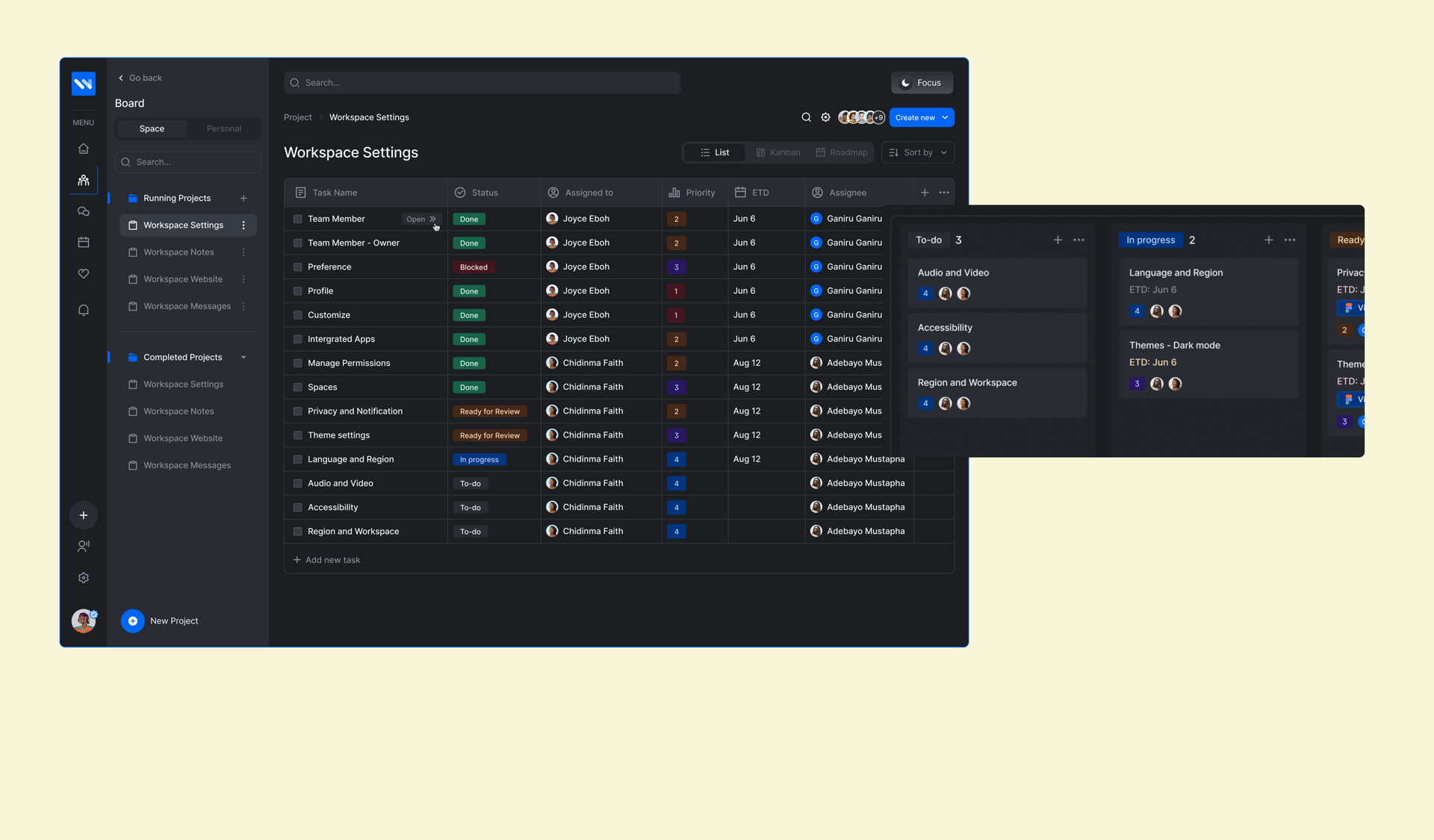
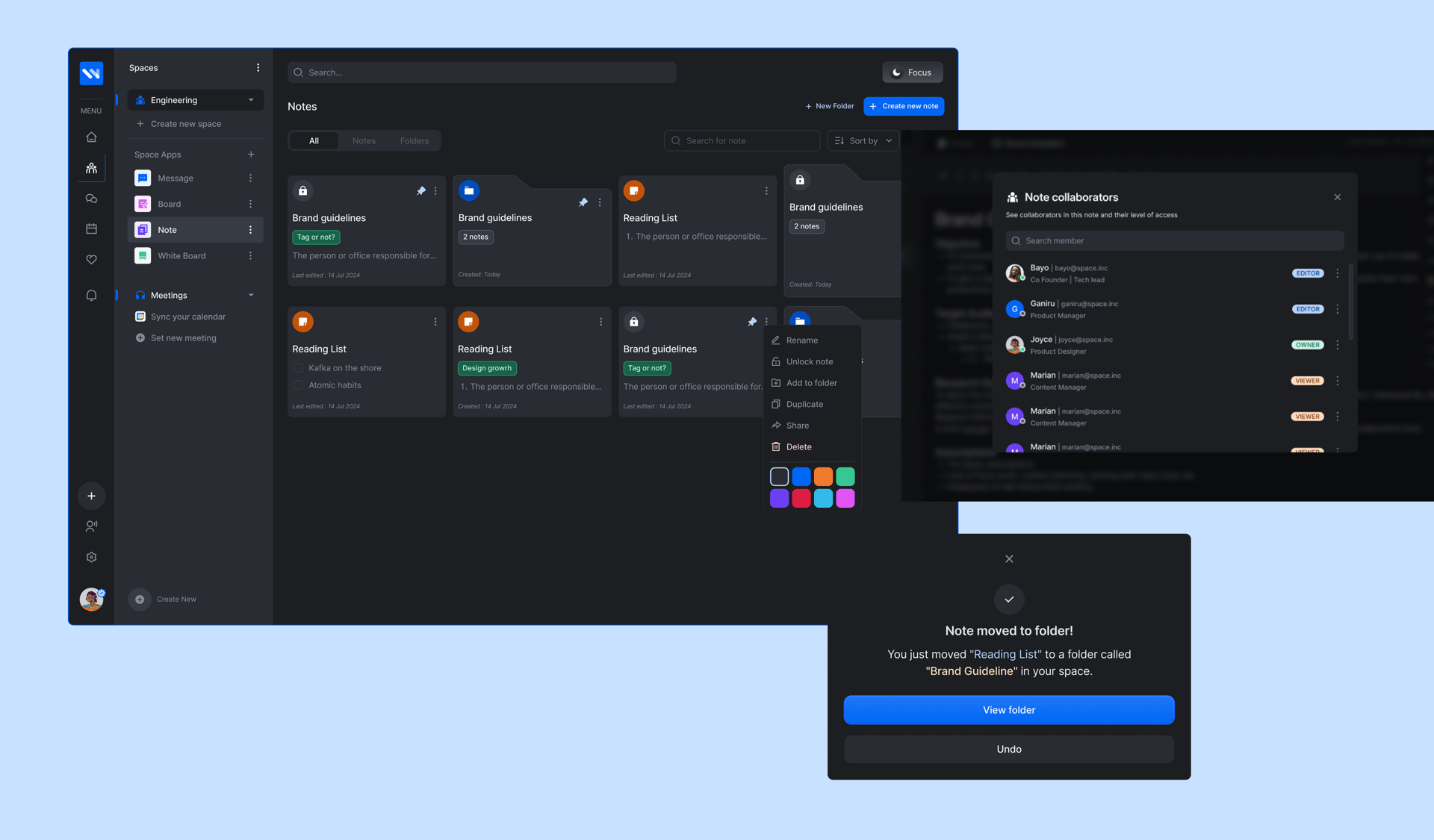
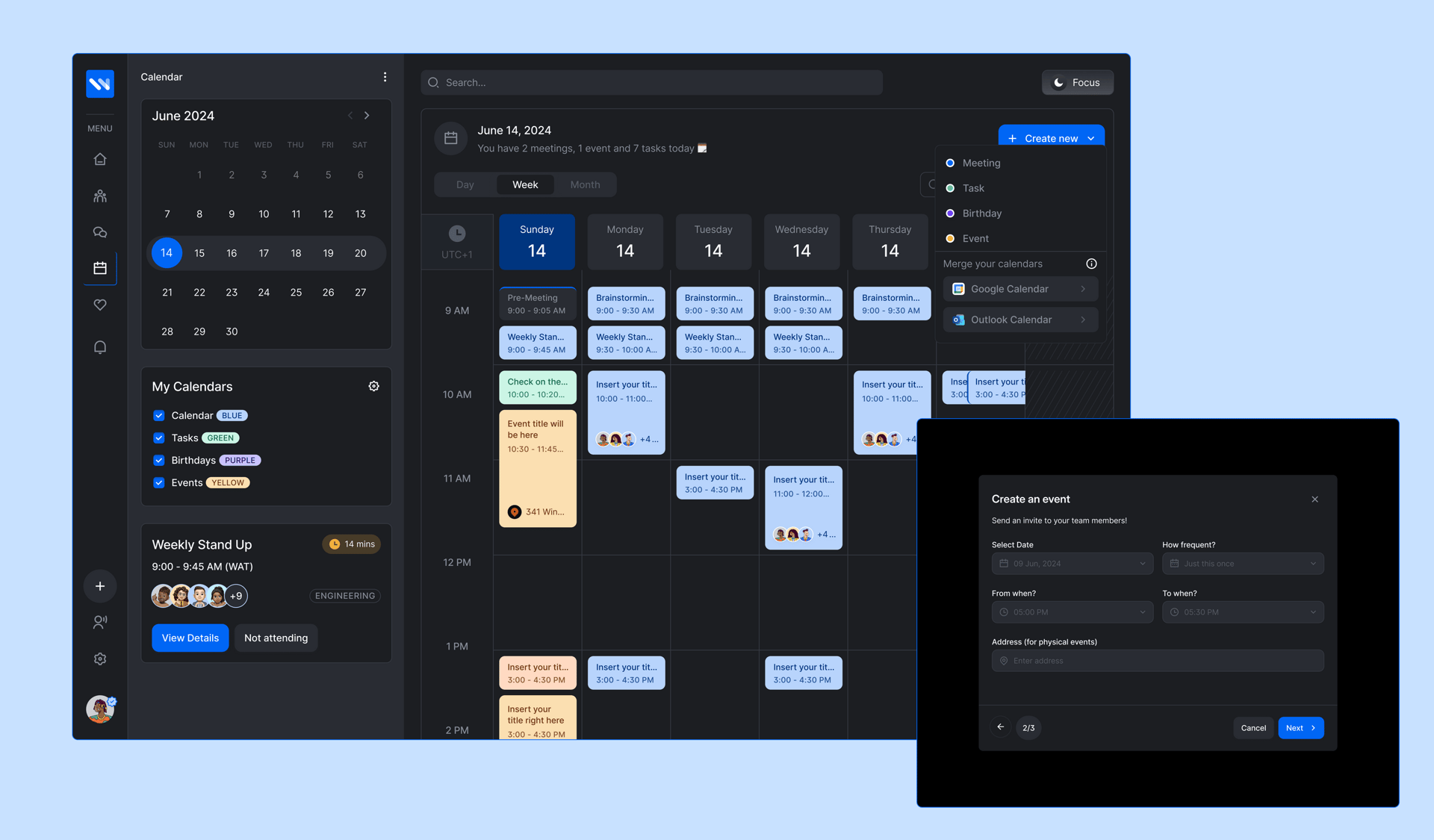
The Notes and Calendar features keep users organized and on track:
- A centralized calendar for scheduling and viewing meetings, deadlines, and events
- Personal and shared note-taking tools to document ideas or meeting highlights
- Synchronization with external calendars (e.g., Google Calendar, Outlook)
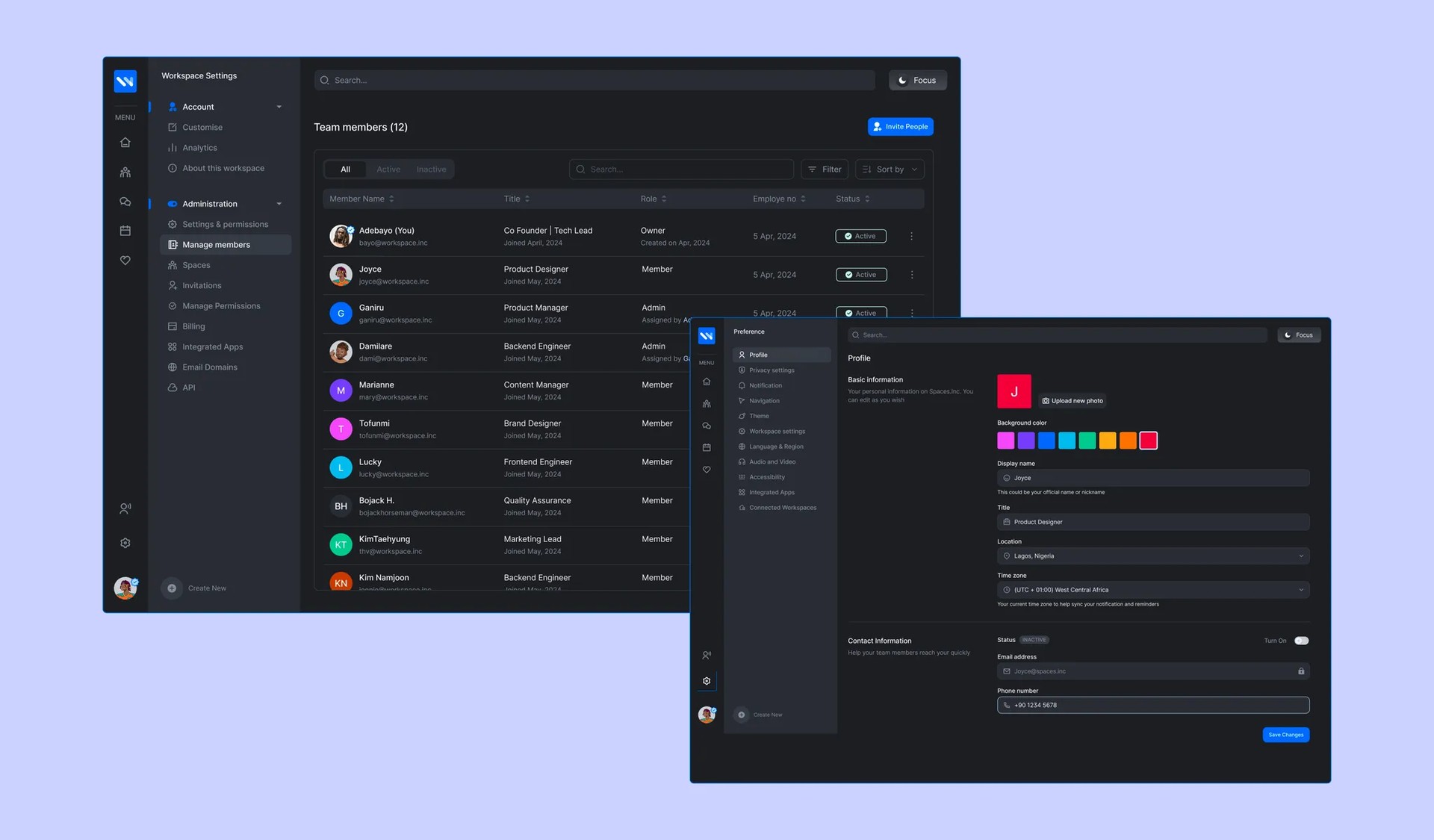
Settings provide flexibility and control for users and workspace administrators:
- Admins can configure workspace permissions, view team details, and manage member invitations
- Users can personalize their dashboard layout, notification preferences, and theme (e.g., light or dark mode)
The Landing Page serves as the first interaction point for potential and returning users.
Increase in Productivity
Adoption Rate — onboarding completed on Day 1
Active Teams worldwide
Reduction in Meeting Times